





Picture this. You just landed a new client, and they need a signed contract before lunch. Your printer is out of ink, your scanner has not worked since 2021, and the nearest print shop is thirty minutes away. Sound familiar? This is exactly why millions of people now choose to sign documents online instead of dealing with paper, pens, and post offices.
Digital signatures have quietly become one of the biggest time savers for freelancers, small business owners, HR teams, and legal professionals alike. Yet many people still hesitate, wondering if it is secure, legal, or even simple enough for someone who is not tech savvy. This guide breaks down everything you need to know, in plain language, so you can start signing Documents online today with total confidence.
Why Everyone Is Moving Away From Paper Signatures
Paper based signing feels outdated for a reason. It is slow, easy to lose, and almost impossible to track once it leaves your hands. When you sign Documents online, you skip the printing, scanning, and mailing entirely. A contract that once took three days to finalize can now be signed and returned within minutes.
Businesses across industries, from real estate agencies to freelance consultants, have shifted to digital signing because it removes friction from everyday transactions. Clients expect speed today, and a delayed signature can mean a lost deal. Platforms like DocArrow were built specifically to solve this problem, giving individuals and teams a simple way to manage the entire signing process from one dashboard.
What Does It Actually Mean to Sign a Documents Online
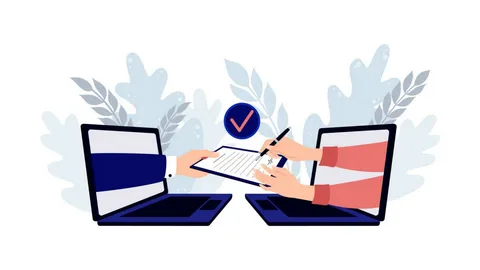
Signing a document online means applying a legally recognized electronic signature to a file without printing it first. Instead of a pen and paper, you use a secure platform where you can type, draw, or upload your signature directly onto the Documents. Once signed, the file is encrypted and stored safely, with a digital trail showing exactly when and where it was signed.
Many people assume this process requires expensive software or a steep learning curve. In reality, most platforms are designed for everyday users, not just tech experts. Uploading a file, adding your signature, and sending it back usually takes less than five minutes.
How to Sign PDF Online Without Downloading Anything
One of the most common frustrations people run into is being asked to download extra software just to open or sign a file. Nobody wants another app cluttering their device. Thankfully, you can sign PDF online without downloading anything at all, using browser based tools that work directly through your internet connection.
Here is how the process usually works.
First, upload your PDF file to the signing platform. Second, review the Documents to confirm everything looks correct. Third, add your signature using your mouse, trackpad, or touchscreen. Finally, submit the signed file, which is automatically saved and shared with the relevant parties.
Because everything happens in the cloud, you never need to install anything on your laptop or phone. This makes it especially useful for people working from shared computers, public libraries, or company devices where installing new software is not allowed.
Can You Sign a Word Documents Online Too
Not every document arrives as a PDF. Sometimes you receive an agreement, a letter, or a form in Word format instead. Fortunately, most modern platforms allow you to sign Word Documents online just as easily as a PDF. The file is usually converted automatically within the platform, so you do not need to manually change the format yourself.
This flexibility matters because switching between file types manually can waste time and introduce formatting errors. Being able to sign Word Documents online, without converting it yourself, keeps the entire process smooth and hassle free, whether you are finalizing a job offer letter or a rental agreement.
Sending Documents to Multiple Signers Without the Back and Forth
Group agreements are often the trickiest part of paperwork. Think about a lease with two tenants, a business partnership with three founders, or a vendor contract requiring approval from several departments. Chasing down individual signatures through email attachments can quickly turn into a frustrating game of who signed and who forgot.
This is where the ability to send Documents to multiple signers online becomes incredibly valuable. Instead of forwarding the same file over and over, you upload it once and assign specific signing fields to each person. Everyone receives their own secure link, signs in their own time, and the platform automatically compiles the completed Documents once all signatures are in.
This method also reduces human error. Since each signer only sees the fields meant for them, there is less risk of someone signing in the wrong place or missing a required section. For businesses handling contracts regularly, this feature alone can save hours every week.
Why Real Time Tracking Changes Everything
Have you ever sent a contract and then spent days wondering if the other person even opened it? This uncertainty disappears once you start using tools that track Documents signing status in real time. Instead of guessing, you get instant updates showing whether a document has been viewed, is still pending, or has already been completed.
Real time tracking also helps with accountability. If a signature is urgent, you can send a gentle reminder the moment you notice the Documents have not been opened yet. For businesses managing multiple contracts at once, this visibility prevents deals from slipping through the cracks simply because nobody followed up in time.
This feature is particularly useful for HR departments onboarding new employees, agencies coordinating client approvals, or legal teams tracking multiple ongoing agreements. Knowing exactly where each document stands removes the stress of constant follow up emails and phone calls.
Is It Safe and Legal to Sign Documents Online
Security is often the first concern people raise, and rightly so. Reputable platforms use encryption to protect your files during upload, signing, and storage. Every signature is tied to a verifiable digital record, including timestamps and identity verification, which makes it far harder to forge than a handwritten signature on paper.
As for legality, electronic signatures are recognized in most countries under laws similar to the ESIGN Act in the United States and eIDAS regulation in the European Union. These laws confirm that a digital signature holds the same legal weight as a traditional one, as long as certain verification standards are met. This means contracts, agreements, and forms signed electronically are just as enforceable in court as paper versions.
If you are still unsure, it helps to choose a platform that provides an audit trail with every completed Documents. This trail includes details like IP address, timestamp, and signer identity, offering an extra layer of protection if a dispute ever arises.
Tips for a Smooth Signing Experience
A few small habits can make the entire process even easier. Always double check the Documents before sending it for signatures, since errors are harder to fix once multiple people have already signed. Use clear file names so recipients immediately understand what they are opening. Whenever possible, add a short note explaining what action is required from the signer, especially if the Documents contains multiple sections.
It also helps to set reminders for time sensitive agreements. Since you can track Documents signing status in real time, you will always know exactly when a gentle nudge is needed instead of sending unnecessary follow up messages.
Why DocArrow Makes This Process Even Simpler
DocArrow was designed around one simple idea: signing Documents should never feel complicated. Whether you need to sign PDF online without downloading extra software, sign a Word Documents online, or send Documents to multiple signers online for a group agreement, the entire experience is built to be intuitive from start to finish.
With real time status tracking, encrypted storage, and a clean interface that works on any device, DocArrow removes the usual headaches associated with paperwork. There is no need to juggle printers, scanners, or endless email threads anymore. You simply upload, sign, and move on with your day.
Final Thoughts
The way we handle paperwork has changed for good, and there is no reason to go back to printing and scanning when a faster, safer option exists. Learning to sign documents online is not just about convenience, it is about protecting your time and making sure important agreements do not get stuck in unnecessary delays.
Whether you are a freelancer sending a single contract or a business managing dozens of agreements every week, tools like DocArrow make the entire process smoother, safer, and far less stressful. Once you experience how simple digital signing can be, paper contracts will start to feel like a thing of the past.