




Managing a contracting business involves more than completing projects on time. Contractors must coordinate workers, track equipment, manage rental expenses, monitor project budgets, and keep clients informed. When these activities depend on spreadsheets, phone calls, and separate software tools, important information can become difficult to manage.
The U.S. Small Business Administration recommends evaluating business software based on factors such as ease of use, integration, and the ability to grow with a company. Its guide to choosing business software highlights why selecting technology that fits actual business needs matters. For contractors, custom web application development can provide a practical way to bring essential operations into one connected system.
1. Bring Daily Contracting Operations Into One Place
Contractors often handle several projects simultaneously, with each project involving schedules, materials, workers, equipment, and payments. Managing these details across disconnected tools can create delays and make it harder to understand project progress.
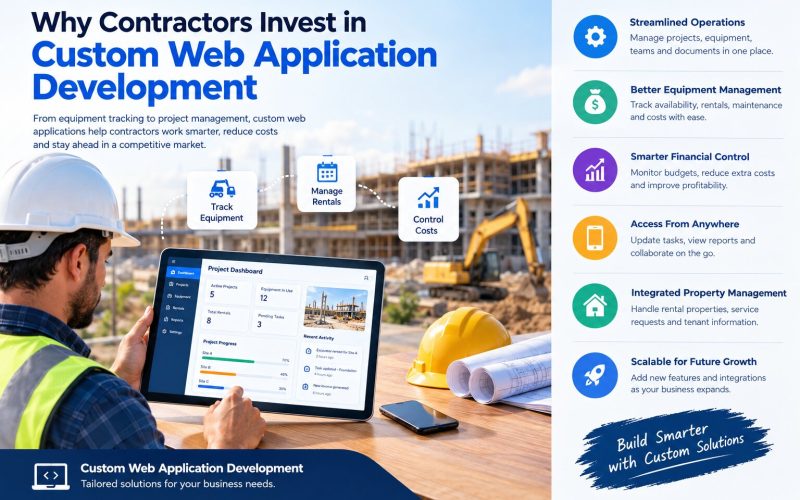
A custom web application can bring these activities together through a centralized dashboard. Managers can review project status, assign tasks, update schedules, and access important documents without switching between multiple systems.
For example, a contractor managing three construction sites could use one application to check which teams are assigned to each location, which materials are required, and which tasks need attention. This improves visibility and helps teams coordinate their work more efficiently.
2. Make Equipment Rental Management More Efficient
Construction equipment represents a significant operational expense for many contractors. Excavators, loaders, generators, scaffolding, and other machinery must be available when needed, maintained properly, and tracked throughout their use.
A custom application with Equipment Rental Management features can help businesses manage equipment availability, rental bookings, delivery schedules, return dates, and maintenance records.
Useful features include:
- Equipment tracking: View which machines are available, rented, reserved, or under maintenance.
- Rental scheduling: Prevent booking conflicts and coordinate equipment delivery.
- Rental cost tracking: Monitor rental periods, fees, and additional charges.
- Maintenance reminders: Schedule inspections and servicing to reduce avoidable downtime.
- Usage reports: Review equipment utilization and identify frequently rented items.
With this information in one place, contractors can make better equipment decisions and reduce confusion between project managers, suppliers, and site teams.
3. Improve Project Budgeting and Cost Control
Profitability depends on understanding where project money is being spent. Labor, equipment rentals, materials, transportation, and subcontractor payments can all affect the final project cost.
Custom web applications can connect budgets with project activities, allowing authorized users to record expenses, compare actual spending with estimates, and identify unexpected costs earlier.
For example, if equipment rental expenses exceed the planned budget, the system can notify a project manager to review the rental duration or booking arrangement. These insights support better financial decisions, although the results depend on accurate data and consistent updates.
Businesses can also integrate accounting or invoicing systems to reduce repeated data entry and improve financial reporting.
4. Give Teams Access to Information From Any Location
Contractors frequently work between offices, warehouses, supplier locations, and construction sites. They need access to updated information even when they are away from their desks.
A browser-based application can provide access through supported computers, tablets, and smartphones. Depending on the design, employees may be able to update task progress, upload site photos, review equipment records, and share documents while working in the field.
Role-based permissions can ensure that employees only access the information required for their responsibilities. This makes collaboration easier while helping protect sensitive business data.
5. Connect Rental and Property Management Workflows
Some contractors also manage rental properties, maintenance contracts, or buildings after construction is complete. In these situations, rental property management software development can help organize tenant information, service requests, lease records, inspections, and maintenance schedules.
Similarly, property management software development can support recurring maintenance tasks, contractor assignments, expense tracking, and communication between property owners and service teams.
These capabilities are particularly useful for businesses that handle both construction projects and ongoing property operations. However, property management features should be included only when they match the company’s actual services and workflow requirements.
6. Understand Equipment Rental Software Development Cost
The Equipment Rental software development cost depends on the complexity of the application, the number of users, required integrations, security needs, and the features included in the initial release.
Key cost factors include:
- Feature scope: Basic equipment records and bookings require less development than advanced inventory tracking, automated billing, and analytics.
- User experience design: Dashboards and mobile-friendly interfaces must suit office staff and field teams.
- Third-party integrations: Accounting software, payment gateways, mapping tools, and existing business systems can increase complexity.
- Security and testing: Access controls, data protection, performance testing, and backups require proper planning.
- Ongoing maintenance: Hosting, updates, support, and future improvements contribute to the total cost of ownership.
Rather than choosing features based on trends, contractors should identify their biggest operational challenges and prioritize the functions that address them. A phased development approach can help businesses launch essential features first and expand the system as their needs grow.
7. Build a System That Can Grow With the Business
A contracting business may start with a small team and a limited number of projects, but its requirements can change as it expands. A well-planned custom web application can be designed to support additional users, projects, equipment categories, reporting tools, and integrations over time.
Security should also remain a priority. Access permissions, encrypted connections, regular backups, software updates, and monitoring help protect business information. The application should be tested and maintained as operational needs evolve.
When evaluating a development partner, contractors should look for experience in workflow analysis, software integration, data security, and ongoing technical support.
Final Thoughts
Custom web application development can help contractors manage projects, coordinate teams, track equipment rentals, and monitor expenses through a system designed around their operations. It can also connect construction workflows with property management when the business needs both.
The best investment begins with a clear understanding of existing challenges, followed by a realistic feature plan and budget. By focusing on practical business requirements instead of unnecessary complexity, contractors can build software that supports better coordination, clearer reporting, and sustainable growth.