



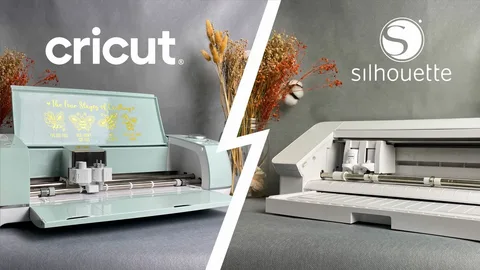
In today’s creative world, SVG files have become essential tools for designers, crafters, entrepreneurs, and small business owners. Whether you’re creating custom t-shirts, vinyl decals, stickers, product labels, or intricate paper crafts, SVG files provide the flexibility and precision needed for professional results. Both Silhouette Studio and Cricut support SVG files, making them popular choices among crafters.
However, as users gain experience and begin working on more complex projects, many discover that Silhouette offers greater design freedom and advanced customization options. For professionals and serious hobbyists, these features can make a significant difference in workflow efficiency and project quality. If you regularly work with SVG files or plan to build a creative business, understanding why advanced users often choose Silhouette can help you make an informed decision.
Understanding the Importance of SVG Files
SVG stands for Scalable Vector Graphics. Unlike traditional image formats such as JPEG or PNG, SVG files can be resized without losing quality.
This advantage makes SVG files ideal for:
- Vinyl decals
- Custom apparel
- Stickers
- Product packaging
- Event signage
- Paper crafts
- Educational materials
- Personalized gifts
Because SVGs maintain sharp lines and precise details at any size, they have become the preferred file format for cutting machines and design projects.
For creators who frequently purchase or design their own SVG files, having software that handles these files effectively is crucial.
Advanced Users Often Choose Silhouette Studio
As crafting skills develop, users often need more than basic design functions. They require tools that allow greater control over editing, customization, and production workflows.
This is where Silhouette stands out.
Greater Design Control with Silhouette Studio
One of the biggest advantages of Silhouette is its powerful design software, Silhouette Studio.
Unlike many beginner-focused platforms, Silhouette Studio offers advanced editing capabilities that allow users to work directly with SVG files without relying on external software.
Users can:
- Edit individual nodes
- Modify cutting paths
- Create compound paths
- Weld shapes together
- Adjust line segments
- Fine-tune design details
These tools provide designers with greater creative freedom and eliminate the need to switch between multiple programs.
For advanced SVG users, this level of control significantly improves productivity and flexibility.
A Better Workflow for Complex Projects
Many experienced crafters create designs that involve:
- Multiple layers
- Complex cut paths
- Detailed artwork
- Large production runs
- Custom modifications
Silhouette Studio allows users to manage these elements effectively within a single workspace.
Instead of importing files into separate design programs for editing, users can complete much of their work directly within the software. This streamlined process saves time and reduces workflow interruptions.
For entrepreneurs managing multiple customer orders, this efficiency becomes especially valuable.
Ideal for Small Businesses and Entrepreneurs
Silhouette Studio has become a favorite among small business owners because it supports a wide range of commercial applications.
Many entrepreneurs use Silhouette machines for:
- Custom t-shirt businesses
- Vinyl decal shops
- Sticker stores
- Product label production
- Personalized gifts
- Event décor
- Packaging design
Business owners often require precise cuts, repeatable results, and efficient production processes. Silhouette’s sophisticated software solutions assist in fulfilling these requirements while enabling enhanced design personalization.
For Etsy sellers and online store owners, these capabilities can support business growth and improve product quality.
Advanced Print & Cut Features
Print & Cut functionality is one of the most important features for sticker makers and label creators.
Silhouette has earned a strong reputation for handling detailed Print & Cut projects with accuracy and consistency.
This feature allows users to:
- Print custom graphics
- Align cut lines accurately
- Create professional stickers
- Produce product labels
- Design planner accessories
- Generate branding materials
Many small businesses rely heavily on Print & Cut technology. Therefore, reliable performance is essential for maintaining product quality and customer satisfaction.
Silhouette’s precision helps users achieve professional results even on highly detailed designs.
Creative Freedom Without Subscription Dependence
Another reason advanced users prefer Silhouette Studio is the freedom it offers regarding design ownership.
Many creators build extensive collections of purchased and custom-made SVG files. They often prefer organizing and managing these assets independently rather than relying on subscription-based design libraries.
With Silhouette, users can:
- Import their own SVG files
- Store designs locally
- Create custom libraries
- Organize projects independently
- Maintain full control over creative assets
This flexibility appeals to professionals who want complete ownership of their work and design resources.
As a result, users can focus on creativity without being restricted by ongoing subscription requirements.
Excellent Choice for Graphic Designers
Graphic designers often need advanced software capabilities that go beyond basic crafting functions.
Silhouette Studio supports detailed customization and precision editing, making it attractive for professionals who:
- Create original artwork
- Design logos
- Build product packaging
- Develop branding materials
- Produce promotional items
Because designers frequently modify vector artwork, node editing and path control become critical features.
Silhouette provides these tools directly within its design environment, creating a smoother workflow for creative professionals.
Who Benefits Most from Silhouette?
While beginners can certainly use Silhouette Studio successfully, it is particularly well suited for users who want advanced design capabilities.
Silhouette is often an excellent choice for:
- Graphic designers
- Etsy sellers
- Small business owners
- Sticker shop operators
- SVG creators
- Vinyl decal businesses
- Teachers creating educational materials
- Experienced crafters
As projects become more complex, users often appreciate having access to professional-level design tools that support their growth.
How Silhouette Supports Long-Term Skill Development
Many crafters begin with simple projects such as greeting cards or vinyl decals. Over time, however, they often expand into more sophisticated creations.
Silhouette grows with the user by offering tools that support increasing skill levels.
Beginners can start with:
- Basic vinyl projects
- Simple stickers
- Paper crafts
As experience develops, users can explore:
- Multi-layer designs
- Advanced vector editing
- Custom SVG creation
- Commercial production workflows
This scalability makes Silhouette a valuable long-term investment for creative individuals and businesses.
Silhouette vs Cricut for Advanced SVG Users
Both Silhouette and Cricut are capable cutting machines. Each serves different types of users effectively.
Cricut often appeals to beginners because of its user-friendly interface and simplified workflow. However, advanced users frequently require more design flexibility and customization options.
Silhouette excels in areas such as:
- Advanced SVG editing
- Greater design control
- Professional workflow management
- Detailed Print & Cut functionality
- Independent asset management
For creators who regularly customize SVG files and develop original artwork, these advantages can significantly improve efficiency and creative possibilities.
Conclusion
Choosing the right cutting machine depends on your goals, experience level, and project requirements. While Cricut remains a popular option for many beginners, advanced SVG users often gravitate toward Silhouette because of its powerful design tools and creative flexibility.
Silhouette Studio offers extensive editing capabilities, streamlined workflows, advanced Print & Cut functionality, and greater control over creative assets. These features make it an excellent choice for graphic designers, Etsy sellers, small business owners, and experienced crafters.
Whether you’re creating products for sale, launching a creative business, or simply expanding your crafting skills, Silhouette provides the professional-grade tools needed to bring your ideas to life. For users who value precision, customization, and creative freedom, Silhouette continues to be one of the strongest platforms available for SVG-based projects.