




Introduction
YouTube has become a part of everyday life. People watch videos for fun, education, music, workouts, recipes, and even school projects. But sometimes you want to view a video offline, save it for traveling, or collect tutorials to watch later without using data. This is why many users search for YouTube downloaders. With so many tools online, it can be confusing to know which ones are safe, legal, and reliable. Some downloaders work well, while others crash, are slow, or may risk your device’s security. This guide explores the top options, explains how they work, and helps you choose the right one for your needs.
Before diving in, it is important to note that downloading copyrighted YouTube content without permission may break YouTube’s rules. Many people use downloaders only for their own videos, royalty-free videos, or offline viewing with proper rights. Always use these tools responsibly.
Why People Use YouTube Downloaders
Downloading videos from YouTube has become popular for several reasons:
- Offline Viewing: When traveling or having limited internet access, offline videos are helpful.
- Saving Tutorials: Students often save educational videos for studying without interruptions.
- Music and Podcast Collections: Many users enjoy saving long videos for background listening during daily routines.
- Slower Internet Speeds: Downloading a video once is easier than buffering it every time you want to watch it.
- Sharing With Permission: Creators sometimes download their own videos to repost or edit them. With these needs in mind, choosing the right tool becomes important. A good downloader should be fast, safe, and easy to use.
What Makes a Good YouTube Downloader?
Before ranking the top three options, let’s look at what features really matter.
- Speed: A good downloader should save videos quickly without long waiting times.
- Quality Options: Users may want video quality from 144p to 1080p or even 4K.
- Format Choices: Formats like MP4 for video or MP3 for audio are common and useful.
- Safety: Tools should be free from harmful software or confusing ads.
- Easy Interface: A simple layout makes the tool friendly for beginners.
- Cross-Platform Use: Some users want options on phones, tablets, and computers.
- Legality: The tool should allow you to save content legally and responsibly. With these features in mind, we tested several popular tools and selected the top three that offer the best overall experience.
Top 3 YouTube Downloaders (Tested & Ranked)
Below are the three best-performing downloaders based on ease of use, safety, features, and overall performance.
Please remember to use these tools only for permitted content.
1. YouTube Premium Offline Mode
Many people forget that YouTube itself offers a built-in downloading option. YouTube Premium allows users to legally download videos for offline viewing inside the YouTube app. While this is not a traditional downloader, it is the safest and most reliable method.
Why It Ranks #1
- Fully legal
- Works on phones and tablets
- High video quality
- No ads
- Fast downloads
- Easy for all ages
Best For
Students, travelers, and people who watch videos on mobile devices.
Limitations
- Videos stay inside the YouTube app
- Requires a paid subscription
- Cannot save videos as separate files
Even with these limits, YouTube Premium remains the safest and easiest way to enjoy offline videos.
2. A Trusted Desktop Video Converter (General Category)
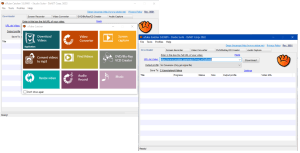
Desktop converters are popular because they allow you to download and convert videos into various formats. While names may vary, the best ones share similar features.
Common Features
- MP4, MP3, and other formats
- High-quality downloads
- Easy drag-and-drop interface
- Fast conversion
- Multi-video downloading
Why It Ranks High
These tools work well for people who need downloaded videos for personal projects, research, or offline archiving when allowed.
Best For
Teachers, students, and users who prefer editing or storing videos on a computer.
Limitations
- Some free versions include limited features
- Users must be careful to avoid unsafe websites
- Must follow copyright rules strictly
This category is ideal for people who want flexibility and fast performance.
3. Browser-Based Converters (Safe and Simple Choices)
Browser-based downloaders allow you to paste a video link and download it without installing software. Some work very well and offer clean interfaces.
Common Features
- No installation required
- Works on most devices
- Simple interface
- Quick conversions
- Supports video and audio downloads
Why It Ranks #3
These tools are easy to use, but users must choose trustworthy websites. Always pick well-known services with clear safety policies and no confusing ads.
Best For
Users who need quick downloads without installing apps.
Limitations
- Speed depends on the website
- Some limit video quality
- Not all sites are safe, so caution is needed
Browser converters are a good option when used responsibly and safely.
Safety Tips When Using YouTube Downloaders
Because many online tools are available, it is important to stay safe. Here are simple safety tips:
- Check Reviews: Before using a tool, look for honest user feedback.
- Avoid Suspicious Ads: If a site shows pop-ups or asks to download extra software, be careful.
- Use Antivirus Software: This protects your device in case you click something unsafe.
- Avoid Downloading Copyrighted Content: Only download videos you have permission to use.
- Understand App Permissions: Avoid apps that ask for excessive access to your device. These safety steps help you enjoy downloading without risks.
Legal Considerations to Keep in Mind
YouTube’s terms clearly state that users should not download videos unless YouTube provides a download button or you have permission from the creator.
You may safely download:
- Your own uploaded videos
- Royalty-free content
- Public domain videos
- Videos with clear download permission
- Content downloaded through YouTube Premium
Understanding these rules helps you stay safe and respectful of creators.
How to Choose the Best Downloader for Your Needs
Different users need different features. Here is a quick guide to help you decide.
- If You Want the Safest Option: Choose YouTube Premium.
- If You Want Videos for Projects or Editing: A desktop converter works best.
- If You Want a Quick, No-Install Method: Use a safe browser-based tool.
- If You Want High-Quality Audio: Choose a tool with MP3 conversion options.
- If You Want 4K Video: Pick a platform that supports HD and 4K downloads. This helps you find the right tool without wasting time.
Conclusion
Choosing the best YouTube downloader depends on your needs, safety concerns, and how you plan to use the videos. YouTube Premium is the safest and easiest method for offline viewing. Desktop converters offer more features for people who want flexibility, while browser-based tools are great for quick and simple downloads. No matter which option you choose, always stay legal, avoid unsafe websites, and use these tools responsibly. With the right downloader, you can enjoy your favorite content offline while keeping your device and data safe.