




Introduction
Accessing your SBCGlobal email is essential for anyone who still uses their long-time sbcglobal.net email login account for personal or professional communication. Over the years, AT&T and Yahoo have integrated their email systems, which means users now access their sbcglobal.net email login through the AT&T or Yahoo Mail portals. If you’ve struggled to find where or how to sign in, don’t worry this guide will walk you through every step of the process to make your sbcglobal.net email login smooth, secure, and hassle-free.
This article will explain the background of SBCGlobal.net email, show you how to log in through AT&T or Yahoo Mail on both desktop and mobile, and offer troubleshooting solutions for common issues users face when trying to access their account.
Understanding SBCGlobal.net Email and Its Connection to AT&T and Yahoo
SBCGlobal.net was originally part of the Southwestern Bell Corporation (SBC), which later merged with AT&T. Over time, AT&T partnered with Yahoo to provide email hosting services. This transition means that if you have an SBCGlobal.net email address, it is now managed through either the AT&T Mail or Yahoo Mail login portals.
While your email address remains the same (for example, yourname@sbcglobal.net), the login interface has changed. Users who haven’t accessed their accounts in a while might find this confusing, as the traditional SBCGlobal login page no longer exists. Instead, AT&T’s and Yahoo’s systems handle sign-ins and password management.
How to Log In to SBCGlobal.net Email Using AT&T
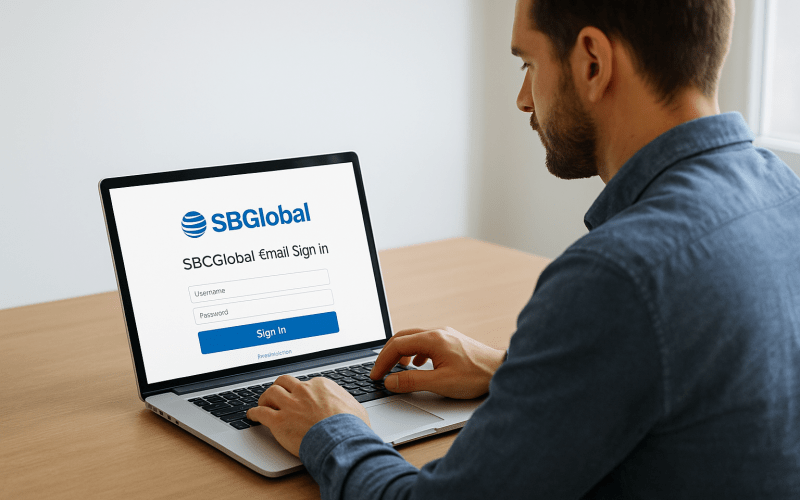
To access your SBCGlobal.net email account via the AT&T login page, follow these steps carefully:
- Open your preferred web browser such as Chrome, Edge, or Firefox.
- Go to the official AT&T Mail sign-in page: https://signin.att.com.
- Enter your full SBCGlobal.net email address in the User ID field.
- Type your account password in the Password field.
- Click Sign In to access your inbox.
Once logged in, you’ll be redirected to the AT&T Yahoo Mail interface, where you can read, compose, and manage your messages as usual.
If you forget your password, click the Forgot Password? link below the login form. You’ll be guided through a password reset process using your recovery phone number or email.
How to Log In to SBCGlobal.net Email Using Yahoo Mail
Yahoo Mail also allows SBCGlobal.net users to access their emails easily. To sign in using Yahoo Mail:
- Open https://mail.yahoo.com.
- Click on the Sign In button.
- Enter your SBCGlobal.net email address and click Next.
- Enter your password and click Sign In.
Once logged in, you’ll be taken to your Yahoo Mail inbox, which hosts your SBCGlobal emails under AT&T’s network.
Logging in via Yahoo Mail offers additional benefits like access to Yahoo’s interface, themes, and settings while maintaining compatibility with your SBCGlobal address.
How to Reset SBCGlobal.net Email Password
If you can’t log in to your SBCGlobal.net account due to a forgotten password, here’s how you can reset it:
- Go to https://signin.att.com.
- Click Forgot Password? under the login fields.
- Enter your SBCGlobal.net email ID and last name.
- Choose your recovery method email or phone number.
- Follow the prompts to verify your identity and set a new password.
After resetting, try logging in again using your new password.
How to Secure Your SBCGlobal.net Email Account
Keeping your email account secure is crucial, especially since older email addresses are often targeted by phishing or hacking attempts. Follow these tips to stay protected:
- Update your password regularly.
- Enable two-factor authentication if available.
- Avoid logging in from public Wi-Fi networks.
- Use a secure and updated antivirus program on your devices.
- Do not share your login credentials with anyone.
How to Sync SBCGlobal.net Email with Outlook or Gmail
If you prefer managing all your emails in one place, you can easily sync your SBCGlobal account with Outlook or Gmail.
1. For Outlook:
- Open Outlook and click File > Add Account.
- Enter your SBCGlobal.net email and choose Manual Setup.
- Select IMAP and input the correct server settings.
- Enter your password and click Finish.
2. For Gmail:
- Open Gmail on your browser.
- Go to Settings > See all settings > Accounts and Import.
- Under “Check mail from other accounts,” click Add a mail account.
- Enter your SBCGlobal.net email and password.
- Configure IMAP/SMTP settings as mentioned above.
After setup, your SBCGlobal emails will automatically appear within Gmail or Outlook.
Recovering a Locked or Suspended SBCGlobal.net Account
Your account may become locked if there have been multiple failed login attempts or suspicious activity. If this happens:
- Wait for 12–24 hours before attempting to log in again.
- Reset your password immediately through AT&T’s password recovery link.
- Contact AT&T Support if the issue persists.
If you’ve tried all troubleshooting steps and still can’t access your account, it’s best to reach out to customer support. You can visit the AT&T Help Center or Yahoo Mail Support pages for assistance. Support representatives can help you with:
- Password recovery
- Account recovery for inactive users
- Server setting configurations
- Login and synchronization issues
Final Thoughts
The sbcglobal.net email login process has evolved due to the partnership between AT&T and Yahoo, but accessing your account remains straightforward once you know the correct procedure. Whether you choose to log in through the AT&T portal or Yahoo Mail, following the steps outlined above ensures a seamless experience.
Always make sure to keep your login credentials secure, update your password regularly, and access your account only through official AT&T or Yahoo websites. By taking these precautions, you’ll maintain full and safe access to your sbcglobal.net email login account anytime, on any device.