



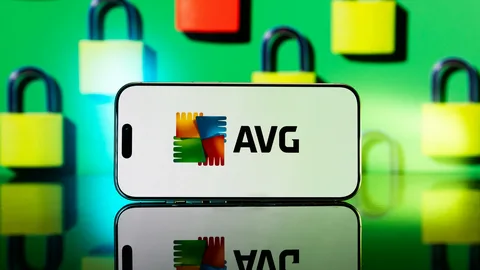
In an era where online threats loom larger than ever, robust cybersecurity is no longer optional — it’s essential. AVG Ultimate stands out as one of the most complete consumer security bundles available today, combining serious virus protection, advanced privacy tools and performance-boosting features under one subscription. Designed to safeguard multiple devices — from Windows, macOS, to Android and iOS — it’s ideal for families or individuals with several devices.
In this guide, we’ll walk you through what AVG Ultimate is, how to buy it, how to renew your subscription when it expires, and how to get support when you need it — including contacting technical support.
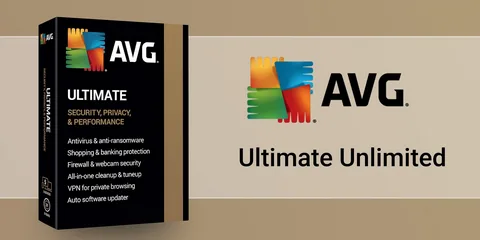
What Is AVG Ultimate and Why It Matters
AVG Ultimate is more than just antivirus software. It’s a comprehensive digital security and performance suite that combines four powerful tools in one subscription: real-time antivirus protection, a secure VPN (Virtual Private Network), performance optimization utilities, and privacy protection.
Here’s what each component brings:
- AVG Internet Security – Core protection against viruses, malware, ransomware, phishing schemes and unsafe links.
- AVG Secure VPN – Encrypts your connection and hides your IP so you can browse safely on public Wi-Fi and maintain online privacy.
- AVG TuneUp – Removes junk files, fixes issues, improves startup speeds and generally boosts performance across your devices.
- AVG AntiTrack – Blocks third-party trackers from collecting your online behavior, protecting your privacy.
A single subscription can protect up to 10 devices, making it suitable for modern households where multiple devices need simultaneous protection.
How to Buy AVG Ultimate
There are two main ways to purchase an AVG Ultimate subscription:
1. Directly from the Official AVG Website
The most straightforward method is to buy directly from AVG’s official online store:
- Go to the AVG Store on avg.com.
- Find the AVG Ultimate product and click “Buy”.
- Choose your subscription period (typically 1 or 2 years) and the number of devices you want to cover.
- Complete the purchase with your payment information.
- You’ll receive an activation code or be prompted to sign into (or create) your AVG Account to automatically activate the subscription.
Purchasing directly ensures you get a legitimate, official license and access to AVG’s full support and refund policies.
2. Through an Authorized Reseller
You can also buy AVG Ultimate through authorized third-party sellers. These often offer discounted pricing or bundles for one-year or multi-year plans. Always make sure the seller is legitimate and authorized — unsafe third-party codes or keys can cause activation problems later on.
When buying this way, ensure the reseller provides a valid activation code that can be used on your AVG account.
How to Renew Your AVG Ultimate Subscription
Keeping your AVG Ultimate subscription active is critical — let it lapse and your protection features will gradually shut off or downgrade, leaving your devices more vulnerable.
There are two main ways to renew:
1. Through Your AVG Account
If your subscription has already expired (or is about to), you can renew it via your AVG account:
- Sign in to your AVG Account at id.avg.com
- Click on the Subscriptions tile
- Locate the AVG Ultimate subscription you want to renew
- Click “Renew now” and follow the prompts to complete your purchase
This is the most reliable way to renew — your subscription will stitch seamlessly into your existing account, continuing uninterrupted protection.
2. Through Renewal Emails or In-App Notifications
AVG often sends renewal reminder emails before your subscription expires. These include a “Renew now” link that takes you directly to your subscription renewal page.
Similarly, if you keep AVG applications installed, you may see in-app alerts when your subscription is nearing expiration. Clicking “Renew now” directly from one of these prompts will also start the renewal process in your browser.
If your subscription has already expired and you missed the renewal window, you usually have up to one year after expiration to renew it from your account dashboard.
Activation Steps After Purchase
Once you’ve bought or renewed AVG Ultimate, you’ll need to activate it:
- Download the AVG Ultimate installer from the official site or your AVG Account
- Install the software on your device
- When prompted, enter the activation code you received via email or found in your account
- Sign in to your AVG Account if necessary and allow the subscription to sync
You can install and activate AVG Ultimate on multiple devices using the same activation code, within the limit allowed by your subscription (e.g., up to 10 devices with multi-device plans).
Getting Support for AVG Ultimate
AVG offers multiple support channels if you need help buying, renewing, activating, or troubleshooting your subscription.
1. Official Support Page
Visit the AVG Support portal on the official AVG website to browse FAQs, step-by-step guides, and troubleshooting articles. You can also navigate to renewal instructions or subscription management there.
2. Live Chat and Email Support
From the support portal, you can initiate a live chat with a support agent or submit a support request by email for more detailed help, especially with billing or account problems.
3. Phone Support
Some users prefer phone assistance — whether that’s asking about renewal options, activation issues, or troubleshooting. For help with AVG Ultimate specifically, you can call dedicated phone support at 1-833-800-3030. If you get through this number, explain your situation — whether it’s buying, renewing, or technical issues with AVG Ultimate — and the representative should guide you step by step.
Tips to Avoid Renewal Issues or Support Scams
Because cybersecurity products deal with sensitive access and payment information, scammers sometimes pose as support representatives with fake phone numbers or pop-ups claiming urgent action. Always make sure:
- You contact support through the official AVG Support site
-
If a phone number is provided, check it against AVG’s official support contacts whenever feasible
- Never give remote control of your computer to an unfamiliar caller unless you confirmed the support request with AVG directly
If in doubt, use the live chat or ticket system from the official support portal — the safest way to resolve subscription issues.
In Summary
AVG Ultimate is one of the most feature-rich security bundles for personal and family use, covering antivirus, privacy, performance, and anti-tracking tools in a single subscription. Buying or renewing is easy through the official AVG Store or your AVG Account dashboard. When it comes to support — whether you need help activating, renewing, or troubleshooting — you can use online support options or call for personalized assistance. Keeping your subscription active ensures your digital life remains secure in an increasingly connected world — and with the right support, help is always within reach.