



As a business scales, the once-simple task of paying bills can quickly transform into a logistical nightmare. Spreadsheets break, manual approvals get buried in email threads, and vendor relations sour due to late payments. To combat this, many growing companies are turning toward outsourced accounts payable (AP) services.
However, outsourcing isn’t a “plug-and-play” miracle. It requires a strategic roadmap. This guide provides a practical, step-by-step path to implementing outsourced AP and ensuring your finance department becomes a powerhouse of efficiency.
What are Outsourced Accounts Payable Services?
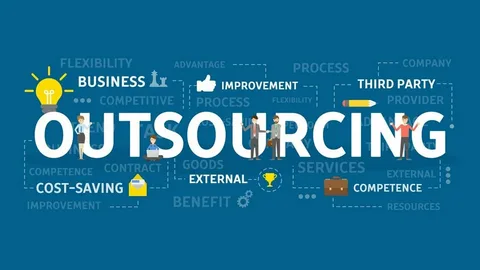
At its core, AP outsourcing is the delegation of your payables functions—such as invoice data entry, three-way matching, and payment execution—to a specialized third-party provider. These providers use high-level automation to standardize your workflows. The ultimate goal is to improve accuracy and scalability while slashing operational costs.
Why Scaling Businesses Need an AP Upgrade
The Challenges of Manual Systems
-
Crushing Volume: As sales grow, so do invoices. Manual teams eventually hit a breaking point.
-
Processing Delays: Physical signatures and manual data entry create massive bottlenecks.
-
Hidden Costs: The “cost per invoice” in a manual setup is surprisingly high when you factor in labor and error correction.
-
Blind Spots: Without a digital trail, real-time cash flow visibility is impossible.
The Post-Outsourcing Reality
-
Hands-Free Workflows: AI and OCR (Optical Character Recognition) handle the heavy lifting.
-
Instant Reporting: Access financial data at the click of a button.
-
Infinite Scalability: You can double your invoice volume without doubling your staff.
The 9-Step Roadmap to Implementation
Step 1: Audit Your Current Chaos
Before bringing in a partner, you must understand your baseline. Document how many invoices you process monthly, your current error rate, and how long a single approval takes. If you don’t know your current “leakage,” you can’t measure your future success.
Step 2: Define Clear Objectives
What does “success” look like for you? Don’t just say “better.” Set hard targets, such as:
-
Reducing processing costs by 40%.
-
Cutting approval times in half.
-
Eliminating 100% of duplicate payments.
Step 3: Source the Right Partner
The right provider is a collaborator, not just a vendor. Look for experience in your specific industry and ensure they can integrate with your current ERP (like NetSuite, SAP, or QuickBooks). Ask about their data security protocols—specifically SOC 1 or SOC 2 compliance.
Step 4: Standardize the Workflow
Outsourcing fails if your internal processes are “messy.” Work with your provider to set up:
-
Digital Capture: All invoices must go to a central digital “front door.”
-
3-Way Matching: Automatically link Purchase Orders (PO), invoices, and receiving reports.
-
Approval Hierarchies: Define exactly who needs to sign off on what amount.
Step 5: System Integration
Data must flow seamlessly. Your outsourced AP platform should “talk” to your accounting software in real-time. This ensures that when an invoice is paid, your general ledger updates instantly, making reconciliation a breeze.
Step 6: Data Migration
Move your vendor master files and historical invoice data to the new system. A clean migration prevents “day one” interruptions and ensures your vendors get paid on time during the transition.
Step 7: Deploy Automation Tools
This is where the magic happens. Leverage OCR to read invoices and AI to validate data. Automation eliminates the “human error” factor of manual typing, ensuring that a decimal point is never in the wrong place.
Step 8: Internal Team Alignment
Your finance team’s role will shift from “data entry” to “data oversight.” Train them on the new approval dashboard and set clear protocols for how they should communicate with the outsourcing provider.
Step 9: Monitor the KPIs
Once you are live, keep a close watch on the metrics you set in Step 2. Track the cost per invoice and the length of the payment cycle. Constant monitoring allows you to tweak the system for even better performance.
The New Workflow: Life After Implementation
The journey of an invoice becomes a high-speed digital relay race:
-
Capture: The system “reads” the invoice via OCR.
-
Validation: AI checks the data against your PO and receipts.
-
Approval: The system routes the digital file to the correct manager.
-
Scheduling: Payments are timed to maximize early-pay discounts.
-
Analytics: Every cent is tracked and reported automatically.
Overcoming Common Hurdles
-
Change Resistance: Employees may fear that “outsourcing” means “replacement.” Emphasize that this frees them up for high-level strategic work.
-
Security Fears: Address this by choosing providers with high-level encryption and strict compliance standards.
-
Tech Friction: Work closely with IT during the ERP integration phase to avoid data silos.
Performance Comparison: Before vs. After
| Feature | Manual AP (Before) | Outsourced AP (After) |
| Speed | Slow & Lagging | Rapid & Real-time |
| Accuracy | Prone to human error | Highly precise (AI-verified) |
| Costs | High labor per invoice | Optimized & Predictable |
| Visibility | Fragmented | Full Transparency |
| Scalability | Rigid | Extremely Flexible |
2026 Trend Watch: The Future of Finance
As we move through 2026, the trend is clear: Autonomous Finance. Growing businesses are no longer just “using software”—they are building future-ready operations powered by cloud-based AP platforms and predictive analytics.
Frequently Asked Questions
-
How long is the setup? Most businesses can fully transition in 4 to 8 weeks.
-
What can I outsource? Everything from invoice capture and vendor management to payment execution and audit reporting.
-
Is this only for giant corporations? No. For growing SMBs, outsourcing is often the only way to scale without a massive hike in headcount.
Conclusion
Implementing outsourced AP is more than a simple software update—it is a strategic pivot. By moving away from the bottleneck of manual processing, you empower your finance team to focus on growth, strategy, and the big picture. When you follow a structured roadmap, you don’t just pay your bills faster; you build a more resilient, profitable business.