






Introduction
In today’s digital era, mobile applications have become indispensable for businesses and individuals alike. Android, with its vast user base, provides an excellent platform for reaching millions of users worldwide. However, creating a successful app requires more than just an idea—it demands a structured android mobile app development process that ensures functionality, usability, and performance.
In this guide, we’ll walk you through the step-by-step process of developing an Android mobile app, from ideation to launch and maintenance. Whether you’re a business owner, entrepreneur, or aspiring app developer, this guide will give you the clarity you need to navigate the development journey efficiently.
Rise of Android Mobile App Development
The rise of Android mobile app development has been one of the most significant trends in the tech industry over the past decade. Android, which is an open-source platform, has become the most widely used mobile operating system in the world, powering billions of devices globally. The ability for developers to access a wide range of tools and resources, along with the large and diverse user base, has fueled its growth. As smartphones have become an integral part of daily life, businesses and startups alike are increasingly turning to Android apps to reach and engage with users. With Android’s continued expansion into new areas like wearable devices, smart TVs, and even cars, the demand for Android developers and apps will only continue to grow, marking a strong upward trend in the mobile app development landscape.
Benefits of Android Mobile App Development
Android app development offers numerous advantages that make it an attractive option for developers and businesses alike. One of the main benefits is its large user base. With Android powering a vast number of devices worldwide, apps developed on this platform have the potential to reach millions of users. Another key benefit is flexibility Android allows developers to customize apps for various purposes and ensures compatibility across a wide range of devices.
Furthermore, Android’s open-source nature means that developers can access free tools, libraries, and frameworks, which makes development faster and more cost-effective. Android also offers seamless distribution through the Google Play Store, making it easy for developers to launch apps to a global audience. Additionally, the system’s supportive developer community constantly innovates, providing valuable resources and tools that further enhance the development experience.
Role of Android Mobile App Development
The role of Android mobile app development has evolved significantly over the years. Today, Android developers are responsible for designing and building applications that not only function well but also offer a seamless user experience. The role involves a mix of technical and creative skills, as developers must keep up with the latest industry trends and technological advancements to stay competitive. Android apps help businesses connect with their customers, whether through e-commerce platforms, social media, or utility apps.
As mobile technology continues to advance, Android developers are also taking on roles that involve integrating emerging technologies like Artificial Intelligence (AI), Augmented Reality (AR), and Internet of Things (IoT) into apps, thereby driving innovation. The role also includes maintaining app performance, troubleshooting issues, and ensuring that apps are secure and user-friendly.
Android Mobile App Development Process: Step-by-Step Guide
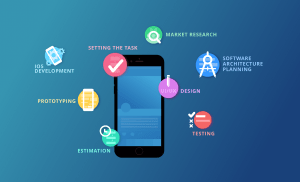
1. Idea Generation and Market Research
Every great Android app begins with a solid idea. Before jumping into design or coding, you need to understand your target audience, market trends, and competitor apps. Conducting thorough market research helps you identify user pain points, gaps in existing apps, and opportunities to create something unique.
Key actions in this stage include:
- Brainstorming ideas based on user needs
- Researching competitor apps and their features
- Identifying your app’s unique value proposition (UVP)
This initial step is crucial because it sets the foundation for the entire development process. A well-researched idea reduces the risk of app failure and ensures you are building something users actually want.
2. Defining Goals and App Requirements
Once the idea is finalized, the next step is to define your app’s goals and requirements. This includes outlining the app’s core features, functionalities, and technical specifications. Clear requirements help developers understand the scope of the project and prevent costly changes later.
Consider the following while defining requirements:
- Platform: Android OS versions and devices your app will support
- App type: Native, hybrid, or web-based
- Key features: User authentication, push notifications, in-app purchases, etc.
- Monetization strategy: Ads, subscription, or one-time purchase
Documenting these requirements ensures a smooth transition to the design and development phases.
3. Wireframing and UI/UX Design
A visually appealing and user-friendly app is critical for success. Wireframing and UI/UX design help visualize your app’s structure and flow before actual development begins.
- Wireframing: Wireframes are basic layouts that outline the placement of elements on each screen. They provide a blueprint for developers and designers, highlighting the user journey.
- UI/UX Design: User interface (UI) and user experience (UX) design focuses on aesthetics and usability. A clean, intuitive interface enhances engagement, while a seamless user experience ensures that users can navigate your app effortlessly.
Popular tools for design include Adobe XD, Sketch, and Figma.
4. Choosing the Right Technology Stack
Selecting the right technology stack is critical for your app’s performance, scalability, and maintainability. For Android apps, developers often choose between:
- Kotlin: Official language for Android development, known for modern syntax and safety features
- Java: Traditional language, widely used and supported
- Flutter: Google’s cross-platform framework for building native-like apps with a single codebase
- React Native: Popular for cross-platform apps, but may require additional optimization for Android
The choice depends on your app’s complexity, budget, and long-term goals.
5. Backend Development and API Integration
While the front-end focuses on what users see, the backend handles data storage, processing, and server-side logic. A robust backend ensures smooth app performance and security.
Key backend tasks include:
- Setting up servers and databases
- Creating APIs for data exchange between the app and server
- Implementing security protocols like SSL and encryption
- Integrating third-party services (payment gateways, social login, analytics)
A well-structured backend is crucial for apps with real-time features, user authentication, or cloud storage.
6. Android App Development
Now comes the core phase actual development. Developers write code, integrate designs, and implement functionalities according to the defined requirements.
Development is usually divided into:
- Frontend development: Implementing UI elements, animations, and user interactions
- Backend development: Connecting the app to servers, databases, and APIs
- Testing during development: Identifying bugs early to save time and costs
Agile methodology is commonly used in Android app development, allowing iterative development and regular feedback.
7. Testing and Quality Assurance
Testing is a crucial part of the android mobile app development process. It ensures that the app is free from bugs, runs smoothly across devices, and delivers a seamless user experience.
Types of testing include:
- Functional Testing: Ensures all features work as intended
- Performance Testing: Checks app speed, responsiveness, and stability
- Security Testing: Verifies data protection and access control
- Usability Testing: Evaluates user experience and app navigation
- Device and OS Testing: Ensures compatibility with different Android devices and versions
Using tools like Firebase Test Lab, Appium, and JUnit can help automate testing and improve efficiency.
8. Deployment to Google Play Store
Once your app passes all tests, it’s time to launch. Deploying an Android app on the Google Play Store involves:
- Creating a developer account on Google Play
- Preparing a store listing with app name, description, screenshots, and promotional materials
- Uploading the APK or AAB file
- Setting pricing and distribution options
- Submitting the app for review
After approval, your app becomes available to millions of Android users worldwide.
9. Post-Launch Support and Maintenance
Launching the app is not the end it’s just the beginning. Continuous support and maintenance are essential for keeping your app relevant and functional.
Post-launch activities include:
- Monitoring app performance and user feedback
- Releasing updates with bug fixes and new features
- Ensuring compatibility with new Android versions
- Optimizing app performance and security
Regular updates enhance user satisfaction and improve app ratings on the Play Store.
10. Marketing and User Acquisition
Even the best apps need effective marketing to reach their target audience. Promoting your app helps attract downloads, increase engagement, and generate revenue.
Marketing strategies include:
- Social media marketing
- App Store Optimization (ASO)
- Influencer partnerships
- Paid advertising campaigns
- Email marketing
A strong marketing plan ensures that your app gains visibility and stands out in the competitive Android app market.
Challenges in Android Mobile App Development
Android app development, while offering many advantages, is not without its challenges. One of the most significant hurdles is dealing with the sheer diversity of Android devices. Unlike iOS, which runs on a limited number of devices, Android is used on a wide range of smartphones, tablets, wearables, and other devices, each with different screen sizes, hardware specifications, and software versions. This variety makes it difficult to ensure that apps perform consistently across all devices.
Developers must rigorously test their apps on multiple devices and OS versions to avoid compatibility issues. Another challenge is security; given the popularity of Android, it is a prime target for cyberattacks, and developers must stay vigilant in safeguarding user data. With Android regularly releasing updates to its operating system, developers also face the challenge of ensuring that apps remain compatible with the latest features and performance improvements, which can be time-consuming and require continuous adjustments.
Future of Android Mobile App Development
The future of Android mobile app development is incredibly promising, with rapid technological advancements shaping the landscape. One of the most exciting areas of development is the integration of emerging technologies such as Artificial Intelligence (AI), machine learning, and augmented reality (AR). These innovations are already being incorporated into Android apps, enhancing user experiences by making them smarter and more interactive.
Another key factor is the roll-out of 5G technology, which will enable faster data transfer speeds, creating new opportunities for high-performance apps, such as those involving gaming, video streaming, and virtual collaboration. Additionally, Android’s continued expansion into IoT, wearables, and automotive technology opens up new possibilities for app developers. As mobile-first strategies continue to dominate businesses, Android app development will likely remain at the forefront of innovation, providing developers with new opportunities to create apps that are more connected, smarter, and capable of meeting the evolving demands of users worldwide.
Conclusion
The android mobile app development process is a detailed journey that requires planning, creativity, and technical expertise. From ideation and market research to design, development, testing, and post-launch support, each step plays a crucial role in building a successful Android app. By following this step-by-step guide, businesses and developers can streamline the process, reduce risks, and deliver apps that users love.
Remember, a successful app is not just about coding it’s about understanding user needs, providing value, and continuously improving your product. With the right strategy and execution, your Android app can achieve long-term success in a competitive market.