






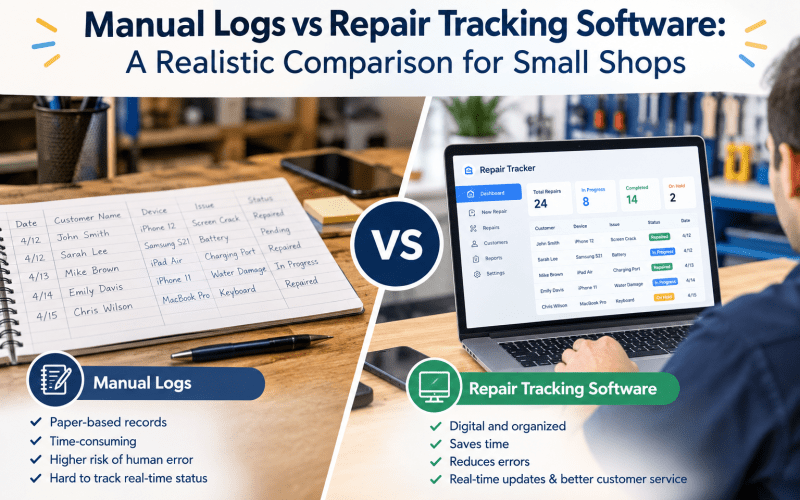
Every small repair shop starts somewhere. For many Australian phone and electronics repair businesses, that starting point involves a logbook, a stack of paper job cards, or a well-organised spreadsheet. These manual systems work fine when you are processing five or ten repairs a week. The question is what happens when volume increases, staff are added, or customer expectations evolve.
This article provides a realistic comparison between manual tracking methods and dedicated repair tracking software, focusing on the actual trade-offs small shops face rather than idealised scenarios. The goal is to help shop owners make informed decisions based on their specific circumstances, not marketing promises.
How Manual Tracking Systems Actually Work
Manual tracking encompasses several approaches, each with distinct characteristics.
Paper Logbooks and Job Cards
The traditional method involves recording each repair in a physical logbook or on pre-printed job cards. When a customer drops off a device, staff write down the customer’s name, contact details, device type, reported issue, and any visible damage. The job card is handed to a technician, who adds diagnostic notes, parts used, and labour time before the device is returned to the customer.
Strengths:
- Zero software cost
- No training required for staff familiar with paper systems
- Physical cards can be handed to customers as receipts
- Works without internet or power
Weaknesses:
- Handwriting can be illegible, leading to misinterpretation
- Cards get lost, misplaced, or damaged
- No backup if the logbook is lost or destroyed
- Searching for historical repairs requires flipping through pages
- Customer updates require manual phone calls or texts
Spreadsheets and Shared Documents
Many shops graduate from paper to spreadsheets, typically using Google Sheets or Excel. A typical repair tracking spreadsheet includes columns for ticket number, customer name, device details, issue description, status, technician assigned, parts used, and payment status.
Strengths:
- Searchable by customer name or device type
- Can be shared across multiple devices (with limitations)
- Basic formulas can calculate totals and averages
- Free or low-cost
Weaknesses:
- Single-user editing causes conflicts when multiple staff update simultaneously
- No workflow enforcement anyone can change any field at any time
- No automatic customer notifications
- No inventory integration parts used must be manually deducted from stock sheets
- No audit trail it is difficult to see who changed what and when
- Becomes unwieldy beyond 50 to 100 active repairs
How Repair Tracking Software Works
Dedicated repair tracking software is designed specifically for the repair shop workflow. Rather than simply storing data, these systems enforce processes and automate routine tasks.
Core Capabilities
Structured Ticket Creation: Software guides staff through a standardised intake process, capturing customer details, device information (including IMEI or serial numbers), reported issues, and condition notes with photo documentation. This ensures consistent data capture regardless of which staff member handles intake.
Workflow Enforcement: Each repair moves through predefined stages such as Received, Diagnosing, Waiting for Parts, In Repair, Quality Check, and Ready for Collection. The system prevents skipping stages or marking jobs complete without required steps, reducing errors and ensuring quality control.
Automated Customer Communication: When a repair status changes, the system automatically sends SMS or email updates to the customer. Customers receive notifications when their device is diagnosed, when parts arrive, when repair is complete, and when it is ready for collection. This eliminates manual follow-up calls and improves customer satisfaction.
Inventory Integration: When technicians log parts used on a repair, the system automatically deducts those items from inventory and triggers low-stock alerts. This prevents stockouts and eliminates the need for separate inventory spreadsheets.
Audit Trails and Reporting: Every action is logged with timestamps and user identification. Owners can see exactly who created each ticket, which technician worked on it, when status changes occurred, and how long each stage took. Reports on technician productivity, average repair times, and revenue per job are generated automatically.
Realistic Comparison Across Key Dimensions
Time Investment
Manual systems: Staff spend significant time on administrative tasks. Writing job cards, updating spreadsheets, calling customers with status updates, manually calculating invoices, and reconciling inventory all consume hours each week. One analysis suggests small shops can lose multiple hours weekly on tasks that software would automate.
Software: Initial setup and data entry take time, but automated workflows reduce ongoing administrative burden. Customer notifications happen automatically, invoices generate from repair data without retyping, and inventory updates occur as parts are logged. The time savings typically offset subscription costs within weeks for shops processing 15 to 20 repairs per week.
Error Rates
Manual systems: Handwriting errors, missed updates, and data entry mistakes are common. A technician might forget to log a part used, a front-desk staffer might call the wrong customer, or a spreadsheet formula might reference the wrong row. These errors compound over time, leading to inventory discrepancies, billing mistakes, and customer complaints.
Software: Structured data entry and workflow enforcement reduce human error. Required fields prevent incomplete tickets, dropdown menus standardise status options, and automated calculations eliminate formula mistakes. Audit trails make it easy to identify and correct errors when they do occur.
Customer Experience
Manual systems: Customers must call or visit to check repair status, which creates friction and increases phone traffic to the shop. Inconsistent communication leads to frustration, especially when repairs take longer than expected. Lost job cards or unclear handwriting can delay repairs or result in devices being ready but not communicated to customers.
Software: Automated status updates keep customers informed without requiring them to initiate contact. Some systems provide customer portals where clients can check repair status online, view invoices, and make payments. This transparency improves satisfaction and reduces inbound calls.
Scalability
Manual systems: Paper and spreadsheets work adequately at low volumes but break down as shops grow. Adding staff requires duplicating logbooks or managing spreadsheet access, both of which increase complexity and error risk. Beyond 20 to 30 repairs per week, manual systems become a bottleneck rather than an enabler.
Software: Cloud-based systems scale naturally with business growth. Adding technicians or opening additional locations requires only new user accounts, not new infrastructure. Centralised dashboards provide owners with visibility across multiple shops.
Cost Considerations
Manual systems: Direct costs are minimal logbooks, printed job cards, or free spreadsheet tools. However, indirect costs include staff time spent on administration, errors leading to lost parts or billing mistakes, and customer churn due to poor communication.
Software: Subscription fees typically range from modest monthly amounts for small shops to higher tiers for multi-location operations. The ROI comes from time savings, reduced errors, improved customer retention, and better inventory management. Shops processing sufficient volume often find software pays for itself within the first few months.
When Manual Systems Still Make Sense
Manual tracking is not inherently wrong for every shop. It remains appropriate when:
- Volume is very low: Shops processing fewer than 10 repairs per week may not justify software costs.
- Staff resistance is high: If technicians strongly oppose digital systems and training resources are limited, gradual transition may be necessary.
- Cash flow is extremely tight: New shops with minimal revenue may need to prioritise other investments initially.
However, even in these scenarios, planning for eventual migration to software is wise, as manual systems become increasingly burdensome with growth.
When Software Becomes Essential
Signs that a shop has outgrown manual tracking include:
- Lost or misplaced job cards becoming frequent
- Customer complaints about lack of communication or delayed updates
- Inventory discrepancies where parts are used but not recorded
- Staff spending more time on administration than repairs
- Inability to answer basic questions like “How many repairs did we complete last month?” without manual counting
At this point, the hidden costs of manual systems exceed software subscription fees.
Conclusion
The choice between manual logs and repair tracking software is not binary but evolutionary. Manual systems serve small shops well at low volumes, offering simplicity and zero cost. However, as repair volume increases, customer expectations rise, and operational complexity grows, the limitations of paper and spreadsheets become apparent.
Dedicated repair tracking software addresses these limitations by enforcing workflows, automating routine tasks, and providing visibility into every aspect of shop operations. The investment pays for itself through time savings, reduced errors, improved customer satisfaction, and better inventory control.
Repair Tree provides a purpose-built platform designed specifically for phone and electronics repair shops, combining ticket management, customer communication, inventory tracking, and reporting in a single integrated system that scales with your business from single-operator shops to multi-location operations.