




In recent years, on-demand service apps have transformed the way we access everyday services, with Gojek leading the charge by offering a comprehensive platform that combines transportation, delivery, and various other services. As businesses look to capitalize on this booming market, creating a Gojek clone app has become an attractive opportunity for entrepreneurs and developers alike.
This complete development guide will walk you through the essential steps of building a Gojek clone app, from understanding its business model and key features to selecting the right technology stack, designing an intuitive user interface, and implementing robust marketing strategies. Whether you are a seasoned developer or a newcomer to the app development world, this guide will equip you with the knowledge needed to successfully bring your Gojek clone app to life.
Understanding the Gojek Business Model
Overview of Gojek’s Services
Gojek isn’t just a ride-hailing app; it’s a multifaceted super app that caters to a wide array of services. From ride-hailing and food delivery to logistics and on-demand home services, Gojek offers everything a busy urbanite could need—all accessible through a single platform. It’s like having your personal assistant, chef, and handyman wrapped up in one app (minus the awkward small talk).
Target Audience and Market Analysis
Gojek primarily targets millennials and urban professionals who crave convenience. The competitive landscape in Southeast Asia is bustling, with players like Grab and Uber sparking a race for innovation and user loyalty. Understanding regional preferences, habits, and quirks is crucial to tapping into this vibrant market.
Revenue Streams and Monetization Strategies
Gojek’s revenue streams are as diverse as its services—think ride commissions, delivery fees, and subscription models for premium services. They also dabble in advertising and partnerships, allowing local businesses to thrive while Gojek collects a piece of the pie. The trick to monetization? Maintain user confidence while ensuring profitable strategies—since unexpected charges on a trip are unappealing to everyone
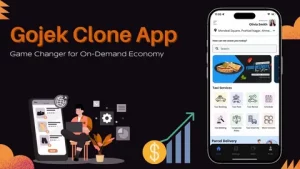
Key Features of a Gojek Clone App
User Features
For users, your Gojek clone should offer a seamless experience: easy registration, a user-friendly interface, and real-time tracking. Features like ride scheduling, multiple payment options, in-app chat, and reviews add the cherry on top. Don’t forget loyalty programs or discounts—you want users coming back for seconds (or thirds).
Driver Features
Drivers are the backbone of any ride-hailing service, so equip them with features that make life easier. Think driver registration and verification, an intuitive dashboard for managing rides, navigation support, and earnings tracking. Bonus points for a rating system that allows drivers to review passengers—after all, it’s a two-way street!
Admin Panel Features
An effective admin panel is essential for managing the chaos that comes with a multi-service app. Key features should include real-time analytics, user and driver management, service category configurations, and an issue resolution system. You want it to feel like a control center for the world’s busiest (and most organized) air traffic controller.
Advanced Functionality and Add-ons
Spice things up with advanced features that can distinguish your clone from the competition. Consider adding ride-sharing options, in-app chatbots for customer service, and integrated loyalty programs. Don’t forget analytics tools to track user behavior—after all, knowledge is power (and revenue).
Technology Stack for Development
Choosing the Right Programming Languages
Frameworks and Libraries
When building your Gojek clone, lean on established frameworks and libraries to save time and add robust functionality. For the backend, Node.js or Django can be your best buds. On the frontend side, Angular or React will help you create a snazzy user interface that makes users go “wow” instead of “where’s the back button?”
Database Management Systems
A solid database is your app’s brain. Opt for relational databases like PostgreSQL or MySQL for structured data handling. If you’re leaning towards a NoSQL approach for flexibility, MongoDB is a reliable choice.
Cloud Services and Hosting Options
Step-by-Step Development Process
Requirement Gathering and Analysis
Before diving headfirst into development, take a step back and gather requirements. Conduct user interviews, surveys, and research to understand what features will truly resonate with your target audience. This phase is all about aligning your vision with user needs—like figuring out what flavor of ice cream people actually want.
Wireframing and Prototyping
This is where the fun begins; sketch out the user journey and build clickable prototypes to visualize your app. Gather feedback early on to ensure you’re on the right track before you start coding. Trust us, it’s better to find out you missed the mark with a sketch than with thousands of lines of code.
Backend and Frontend Development
Now comes the coding phase—grab your favorite caffeinated beverage and get to work! During backend development, focus on building a secure and scalable server that can handle all the data transactions. Concurrently, create a frontend that’s not only visually appealing but also user-friendly, ensuring a smooth experience that keeps users coming back.
Deployment Strategies
Finally, after testing and tweaking to perfection, it’s time to launch! Choose a strategic deployment timing—ideally, when potential users are most active. Prepare for post-launch performance monitoring and user feedback collection. Remember, launching your app isn’t the finish line; it’s merely the start of your exciting journey into the app universe!
Designing a User-Friendly Interface
Importance of UI/UX Design
Creating a Gojek clone app without a solid UI/UX design is like baking a cake without a recipe—possible, but highly likely to end in disaster. A well-designed interface keeps users engaged, promotes brand loyalty, and can turn first-time users into regulars faster than you can say “convenience.” A seamless experience ensures users can navigate the app effortlessly, making their interactions enjoyable rather than frustrating. After all, who wants to download an app that feels like deciphering an ancient scroll?
Design Principles and Best Practices
When designing your app, think of it as hosting a party—you want everyone to feel welcome and have a good time. Start with consistency; use a unified color scheme, typography, and button styles. Keep it simple; don’t clutter the interface like an overstuffed suitcase. Prioritize accessibility; make sure everyone—yes, even Grandma—can use your app. And don’t forget about responsiveness; ensure the app looks fabulous on all devices, from the latest smartphone to that old one collecting dust in the drawer. Aim for a clean, intuitive layout that guides users smoothly through their journey.
Utilizing Design Tools and Resources
There’s a smorgasbord of design tools out there, and finding the right one is akin to finding a needle in a haystack—if the haystack were also filled with candy. Tools like Figma, Sketch, and Adobe XD can help you whip up mockups and prototypes without breaking a sweat. You can also check out platforms like Dribbble and Behance for design inspiration. Collaborating with talented designers or snagging a few design resources can elevate your app from “meh” to “wow,” ensuring your Gojek clone stands out in a sea of competitors.
Testing and Quality Assurance
Types of Testing for Apps
Testing your app is crucial—think of it as taking your new car for a spin before hitting the highway. Functional testing ensures all features work as intended, while performance testing checks how well the app handles user load (hello, Black Friday sales!). Don’t forget usability testing to get real user feedback; it’s like having a focus group without the awkwardness of sharing snacks. Lastly, security testing should come in full force to keep those pesky hackers at bay.
Automated vs. Manual Testing
Automated testing is like a robot butler; it can handle repetitive tasks like regression testing faster than you can say “debugging.” But don’t throw the towel in on manual testing just yet—humans bring a level of intuition and creativity that robots can’t replicate. A balance of both is ideal; use automation for the repetitive stuff and save manual testing for the nuanced, user-centered aspects that require us mere mortals.
Bug Tracking and Resolution
Bugs are an inevitable part of app development, much like that one relative who always shows up to family gatherings uninvited. Use bug tracking tools like Jira or Bugzilla to document issues and keep everyone on the same page. Prioritize bugs based on severity and user impact; after all, a crash during a payment process is much worse than a typo on a “Thank You” page. Once identified, tackle those bugs efficiently so your users can have a smooth experience, and you can avoid the dreaded “uninstall” button.